See the yearly price of every habit.
SpendTally turns coffee runs, subscriptions, and everyday routines into clear yearly totals — then plans your bills, budgets, and goals around them. All on your iPhone. No account, no bank connection, no cloud, no ads.
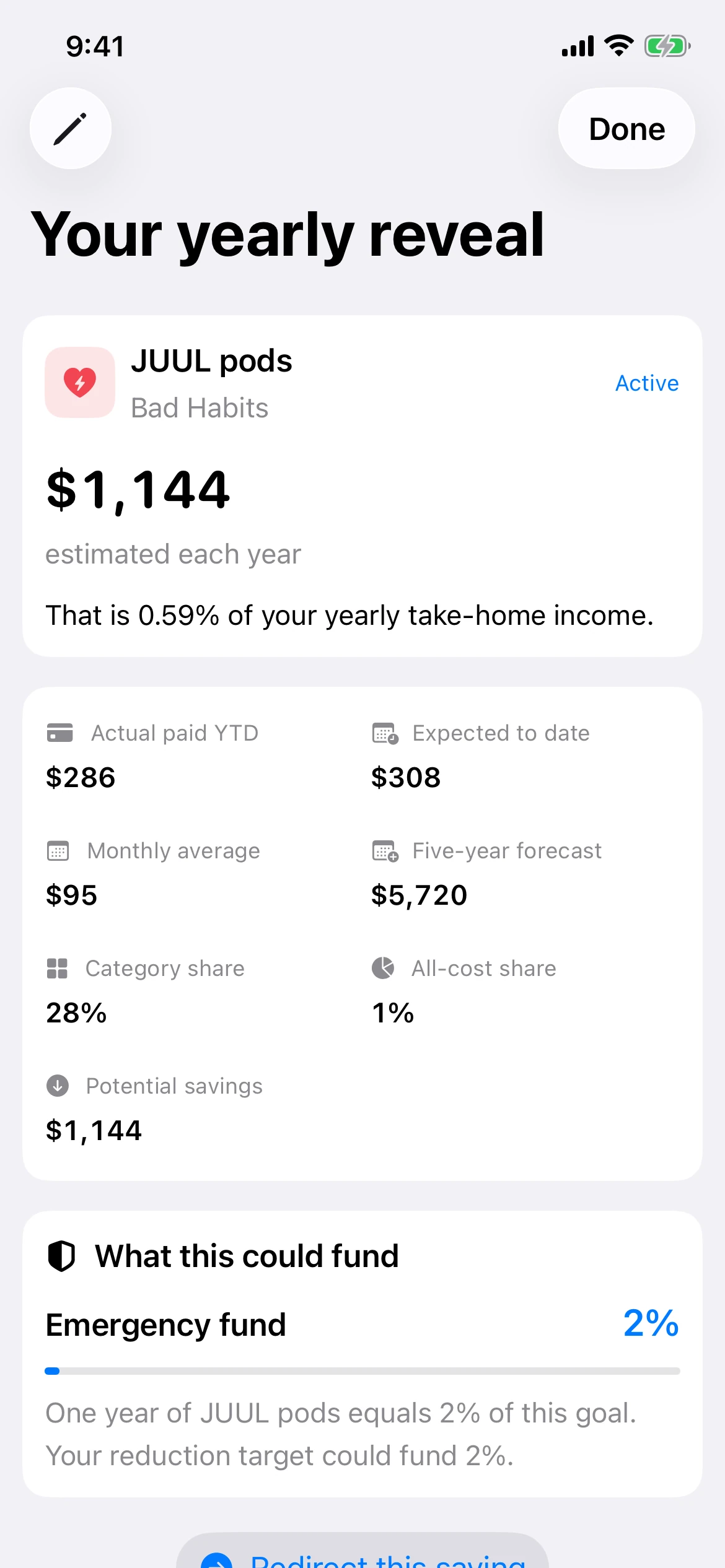
one habit, priced 0.59% of take-home Works offline
Your money, in one honest picture.
Log it in seconds
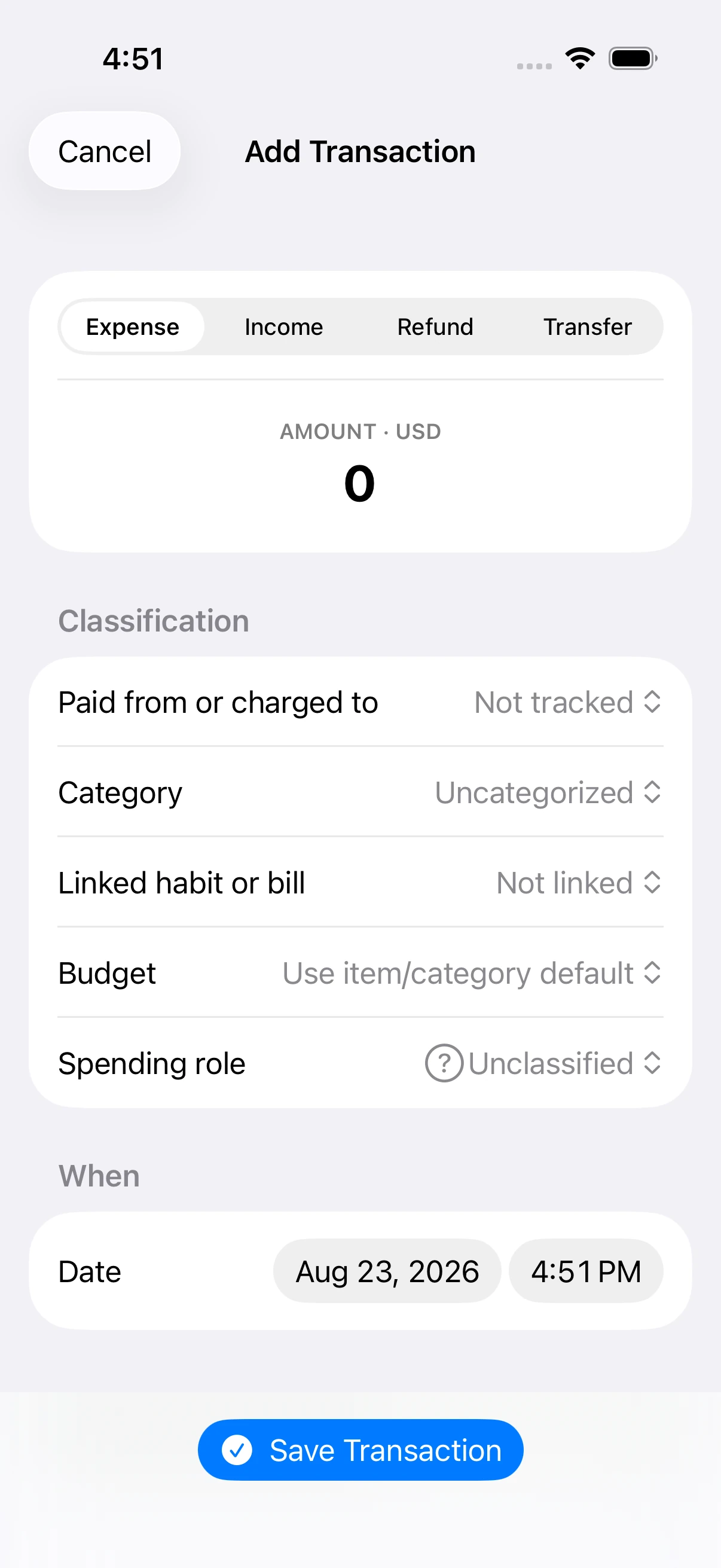
One amount-first editor for expenses, income, refunds, and transfers — with the budget impact shown before you save.
Watch the year build up
Every habit gets a yearly total, a monthly average, and a five-year forecast. The math you never wanted to do, done.
Stay ahead of every bill
Budgets, bills, subscriptions, paydays, and goals in one plan — grouped by what's overdue, due today, and next.
 Real app, real numbers from a demo profile. Everything you see was logged on an iPhone — nothing was pulled from a bank.
One log. Four jobs. One clear story.
Every entry works harder as it moves through the system. Start anywhere — the rest of the picture builds itself.
Home
Turn a quick entry into your real money picture — cash, commitments, and leaks.
Analyze
Find the leaks with pace, drift, and a heatmap of when you spend the most.
Plan
Bills, budgets, and paydays grouped by what needs attention next.
Goals
Fund what matters with a full dated history of every contribution.
Your money picture, updated the moment you log.
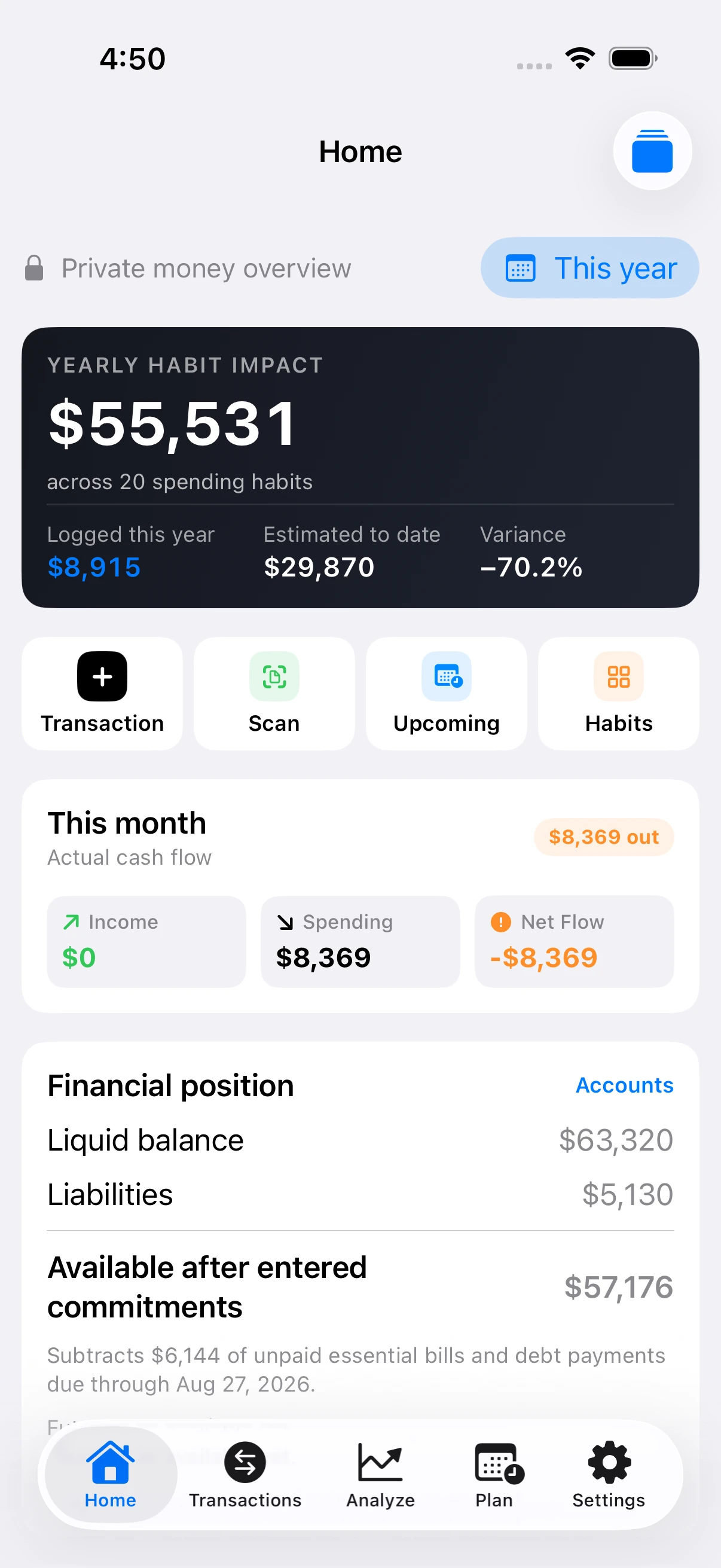
Open SpendTally and see the whole truth on one screen: your yearly habit impact, this month's actual cash flow, liquid balance, and what's truly available after every commitment you've entered.
- Yearly habit impact — every routine priced by the year, with variance against what you actually logged
- Available after commitments — subtracts unpaid bills and debt payments before telling you that you're rich
- Top leaks — the categories quietly draining the most, ranked on the same screen
Every dollar finds its place.
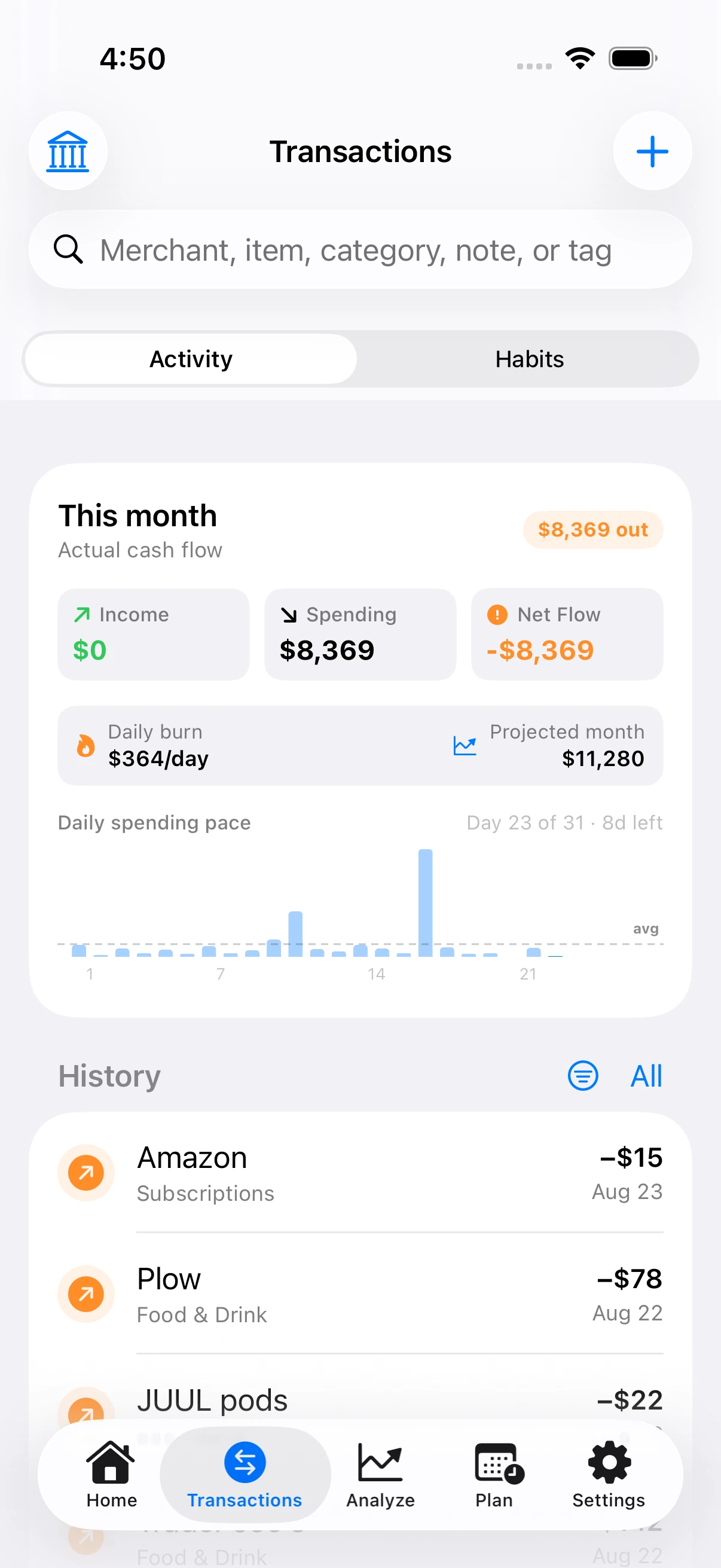
Expenses, income, refunds, and transfers live in one ledger with an amount-first editor. Search across merchant, item, category, note, or tag — and never double-count a transfer or a liability payment again.
- Daily burn and projected month totals, computed live as you type
- Quick swipe actions to edit, duplicate, refund, or delete
- Receipt photos attach to the matching transaction
See the leak — and what feeds it.
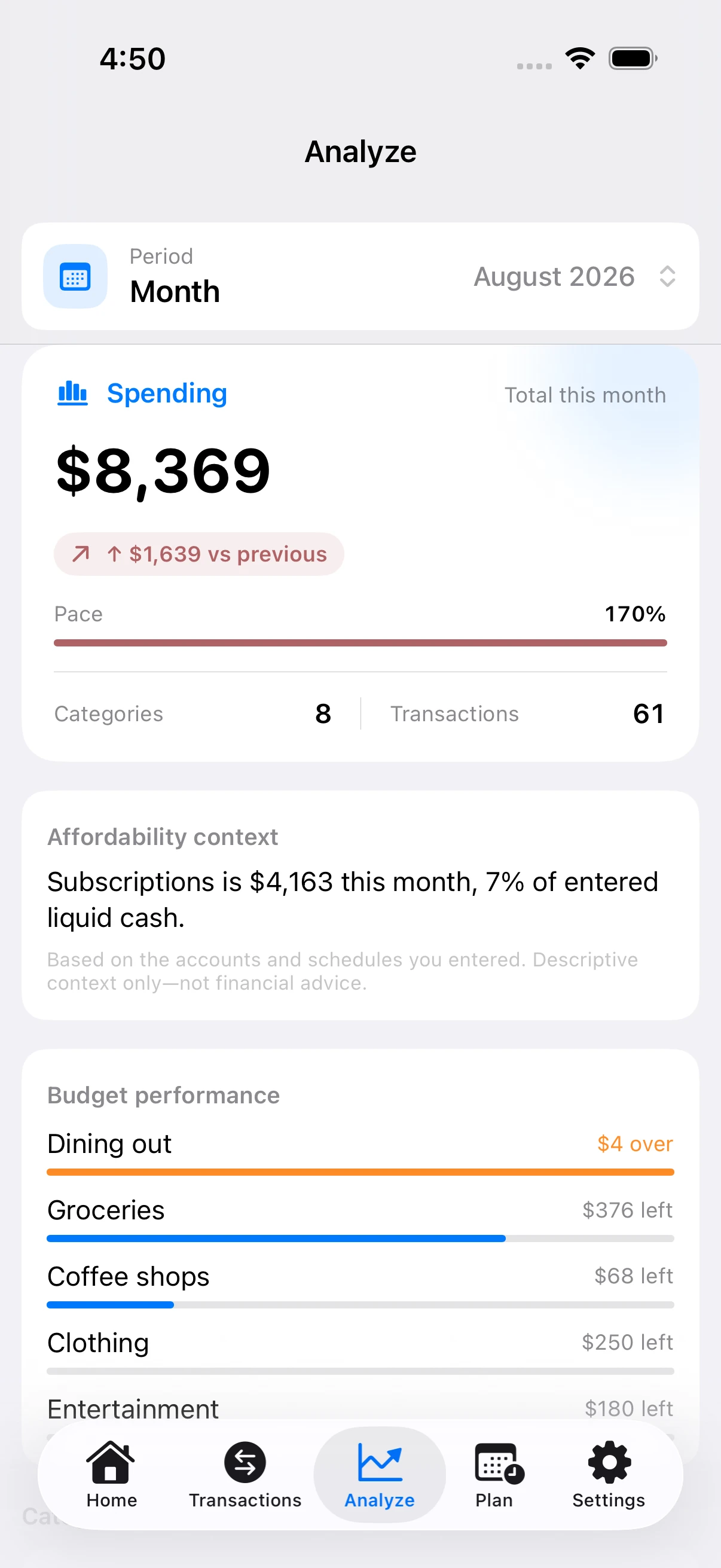
Spending is compared against your previous period, scored for pace, and broken down by category, day of week, and hour of day. When a category drifts up, SpendTally shows the transactions behind the move.
- Affordability context — what each category costs as a share of your entered liquid cash
- Budget performance — over or under, category by category, with the amount left
- Leak evidence — one tap from a leak to the receipts behind it
Bills, budgets, and paydays without surprises.
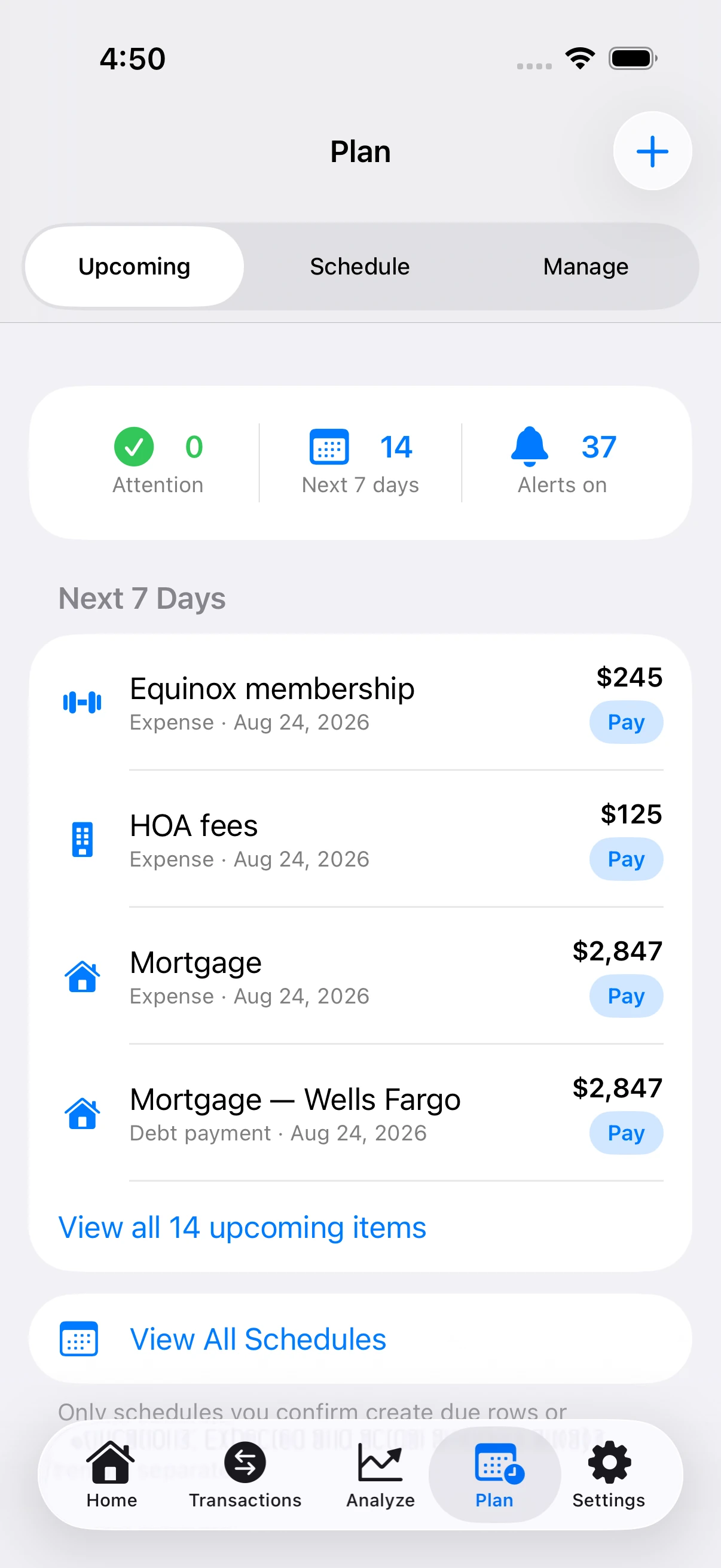
Confirmed occurrences are grouped into Overdue, Due Today, Next 7 Days, and Later. Pay, skip, or snooze without losing history — and set daily, weekly, monthly, or yearly budgets with pace and remaining money.
- Bills, subscriptions, paydays, and debt payments in one schedule
- Local reminders at the time you choose — no remote push tokens
- Optional Cut Back role for stronger warnings on what you want to reduce
Fund what matters. Keep the history.
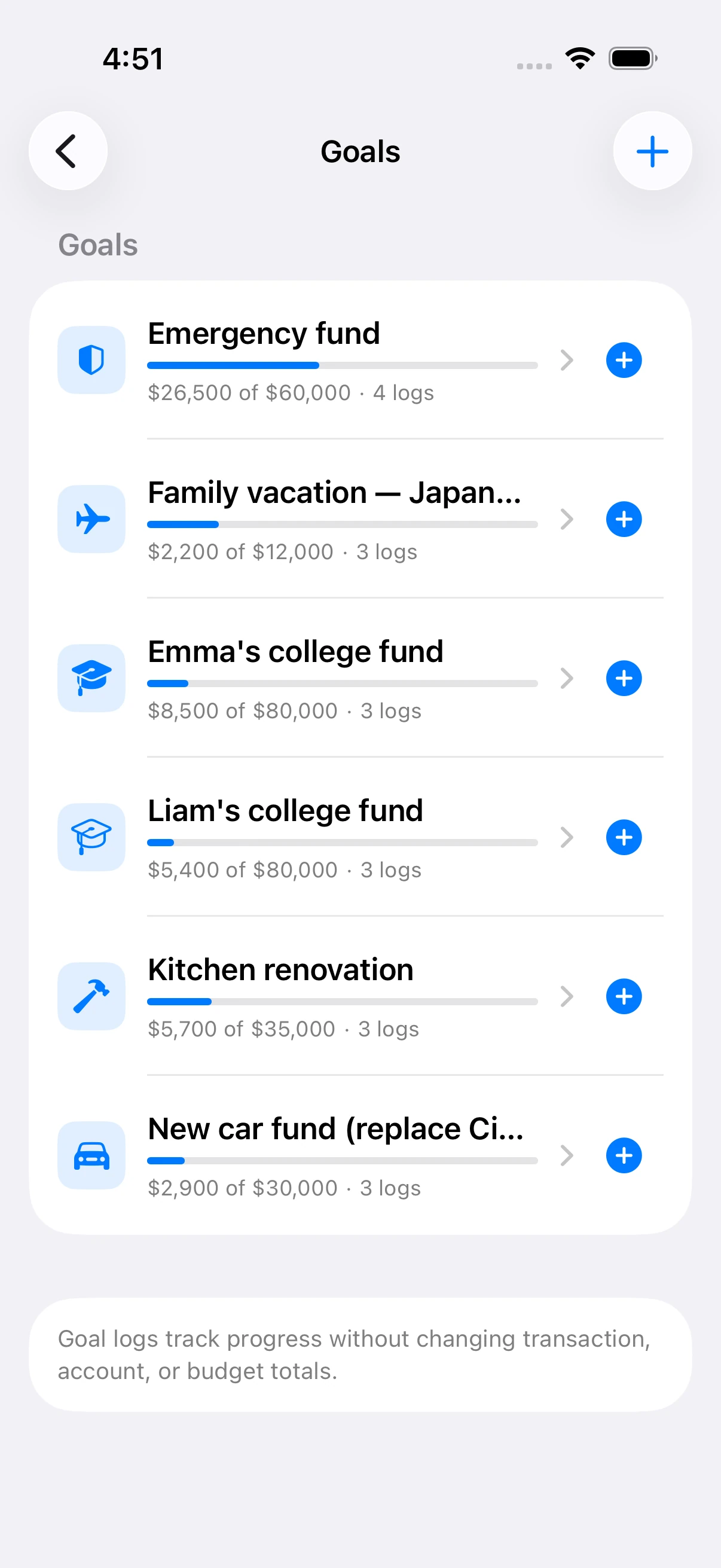
Goals track progress with dated contributions — each one carrying its source, whether a payment, a transfer, or a manual log. The progress bar reflects the sum of every deposit, not a single edited number.
- Target amount, target date, and currency per goal
- Per-goal breakdown showing every deposit and its date
- Goal logs never distort transaction, account, or budget totals
The whole balance sheet. One screen.
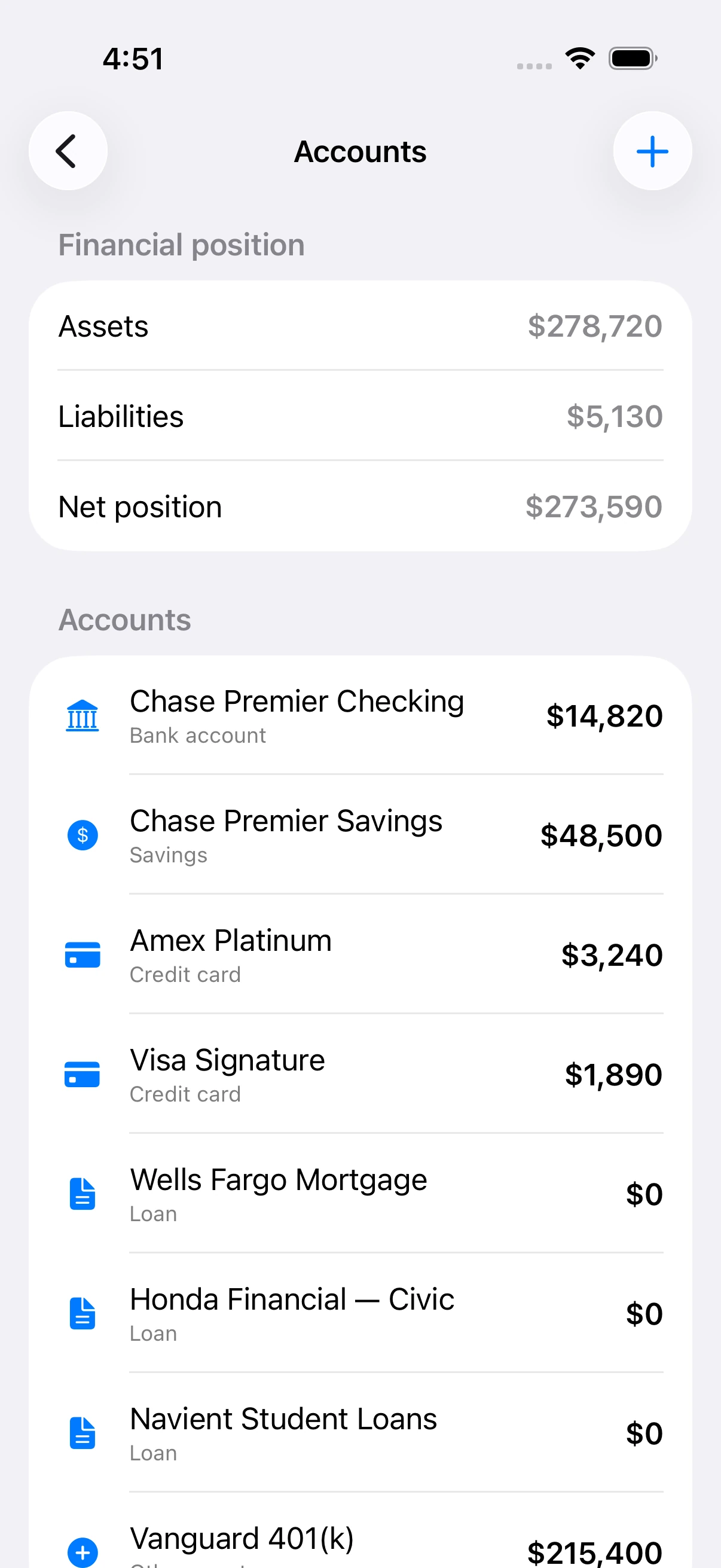
Track cash, bank, savings, credit cards, loans, assets, and liabilities — manually. That's what makes the numbers feel real, and it's also why SpendTally can promise they never leave your device.
- Assets, liabilities, and net position calculated live
- Transfers and liability payments never counted as new spending
- Income versus spending, with available money after commitments
Money context, without opening the app.
Five Home Screen widgets, three Lock Screen styles, Live Activities, and Quick Add presets. Glance at the leak, the budget, and the next bill — then log a coffee straight from the Home Screen.
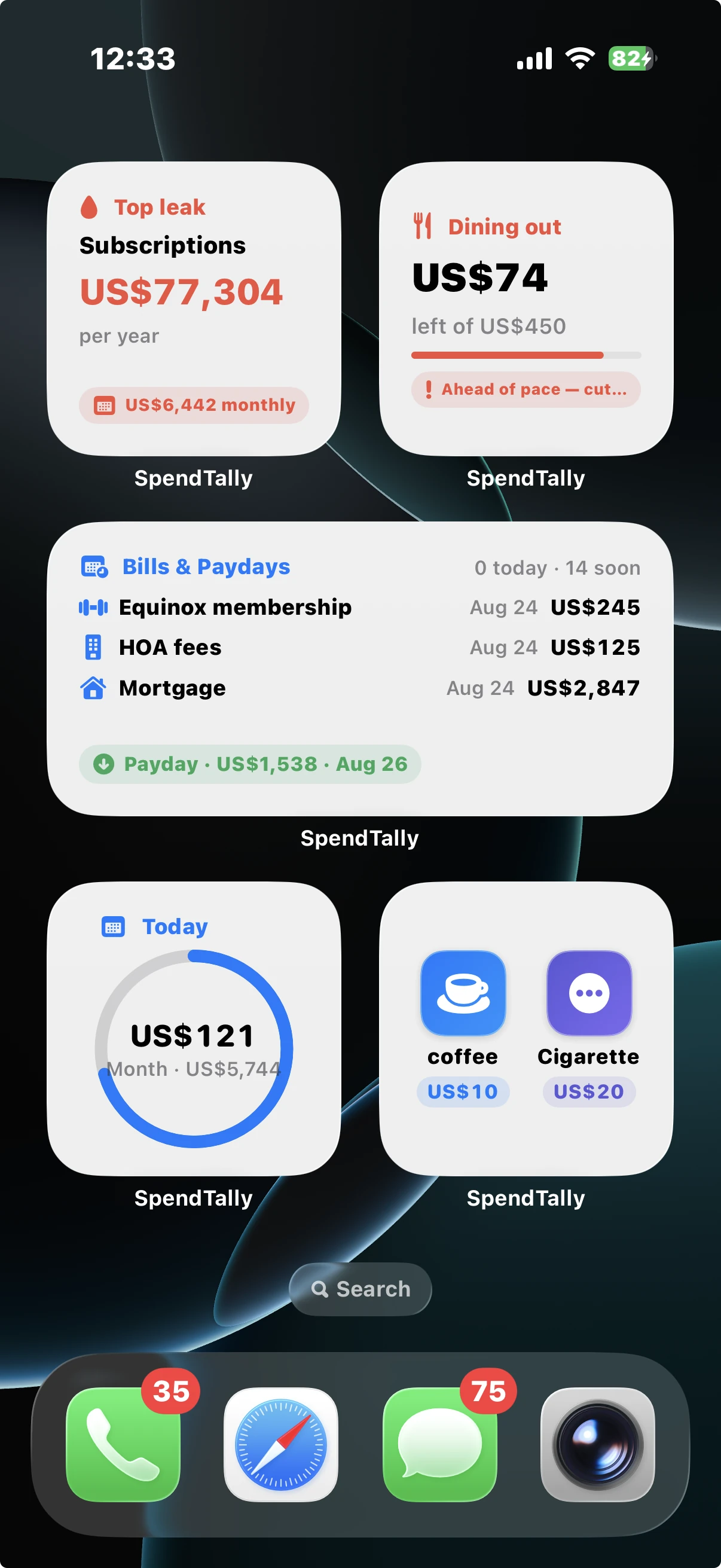
Widgets that answer, not decorate
Top leak, Bills & Paydays, Today ring, and Quick Add buttons that post instantly — no app launch.
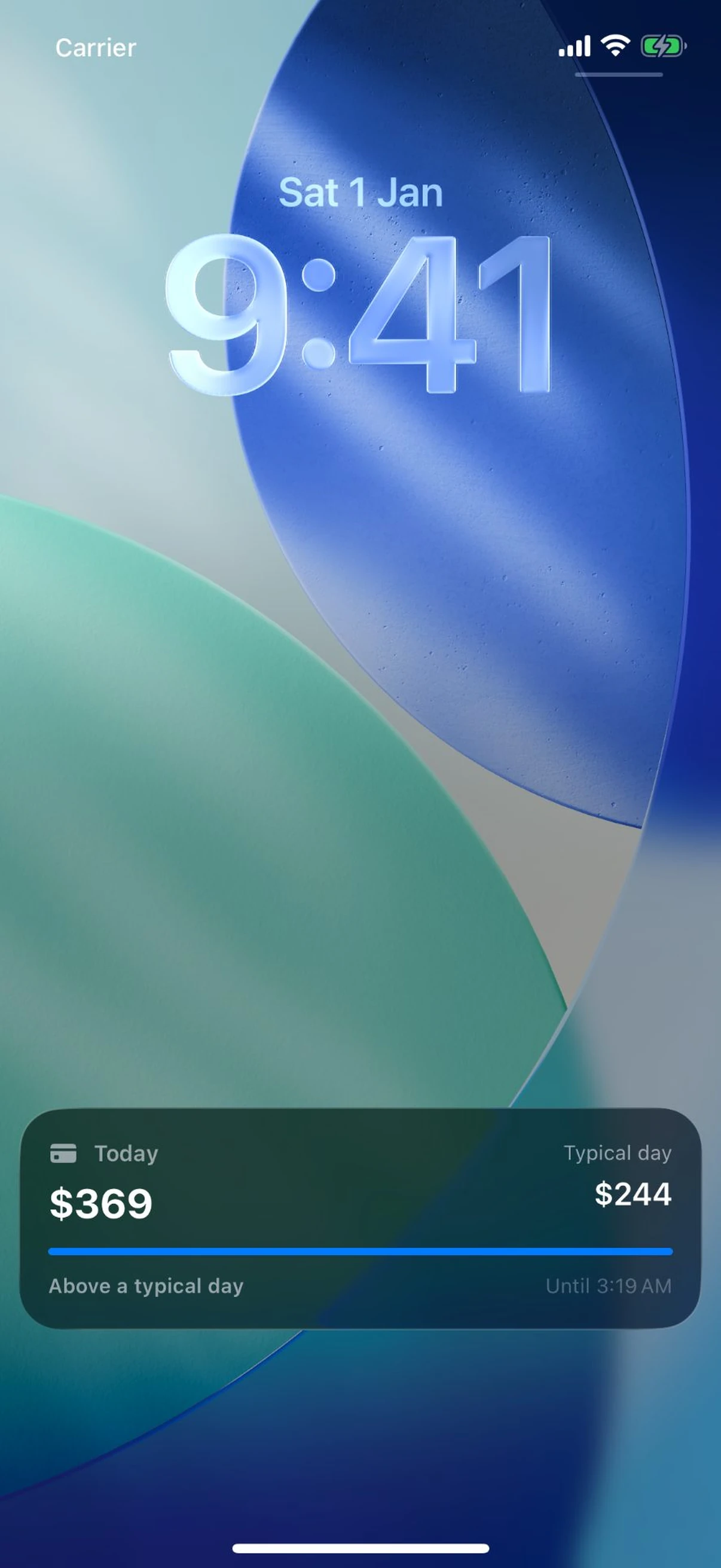
Live Activities that keep pace
Today versus a typical day, week running total, and return windows — right on the Lock Screen and Dynamic Island.
A money app should earn trust. Here's the honest math.
A workflow comparison, not a scorecard. It shows what each approach asks of you — and what it takes from you.
| What matters | Typical bank-connected app | SpendTally |
|---|---|---|
| Your data leaves your device | Built in | Never |
| Works fully offline | Missing | Built in |
| No account, sign-in, or verification | Missing | Built in |
| Ads, offers, or sponsored placement | Common | Never |
| Price | Subscription | Free · whole app |
| Yearly price of every named habit | Missing | Built in |
| Export everything, delete anything | Partial | Built in |
| App Store privacy label | Data collected | Data Not Collected |
"Typical" describes the common bank-connected finance app, not any single product. SpendTally's trade is honest: you type the numbers yourself — and in exchange, nobody collects them. There is no server to breach, because there is no server.
Useful numbers. Honest limits.
SpendTally is manual by design. It does not pull transactions from your bank, discover every subscription automatically, cancel services for you, or give financial advice.
The trade is privacy: nothing to hack, leak, or sell — because nothing ever leaves your iPhone. The numbers feel real because you entered them, and the forecast is yours because the habits are.
Log. Scan. Plan.
Keep the loop light enough to repeat every day, and rich enough to explain your whole year.
Log it
Amount-first editor with expense, income, refund, and transfer modes. See the live budget impact before you save — and add it again next time with one tap from Quick Add.
Scan it
Point the camera at a receipt or bill. Apple Vision reads the text and amounts on-device, you review every line before anything is saved, and the photo attaches to the transaction.
Plan it
Budgets reset pace, bills move to the right day, goals accept the leftover — and the yearly picture sharpens with every entry. Widgets and Siri keep it one glance away.
Questions before your first log.
Do I need to create an account?+
Where is my data stored?+
Does SpendTally work offline?+
Will the app ever ask me to subscribe or pay?+
Can I import transactions from my bank?+
Does it support multiple currencies?+
Does it work on iPad or Mac?+
How do I delete my data?+
Your year starts with one entry
Log the first one.
Start free with a single transaction. Your yearly picture — and every leak in it — starts there.
Download SpendTally — free